Your audio never leaves the box
The Teaport Engine runs STT and TTS on the board. Your microphone stream is heard and answered locally, never transmitted.
Teaport upgrades the OpenClaw or NemoClaw agent running on your NVIDIA Jetson Orin Nano into a local voice agent, giving it ears and a mouth. Talk to it and it answers in real time, right there on the board, so your voice never leaves it. The language model doing the thinking lives wherever you point it: a frontier API, or your own machine on the LAN. Either way, only text makes that trip, never your voice.

Voice sidecar for OpenClaw & NemoClaw
Leave your email to see the one-line install now. We’ll send it again the day it goes live.
# the one-line install, landing with the docs
$ bash <(curl -fsSL https://get.teaspoon.tech/teaport) We’ll email the address above the day the installer goes live. Free for personal use; organizations need a written license.
How it works
Most “private voice” ships your raw audio to the cloud for transcription and reply. Or it crams the thinking onto that same small board too, and the agent gets noticeably dumber for it. Teaport does neither. Speech recognition, the agent, and your memory live on the appliance. The LLM is a backend you choose. Full control over what thinks, total peace of mind over what’s heard.
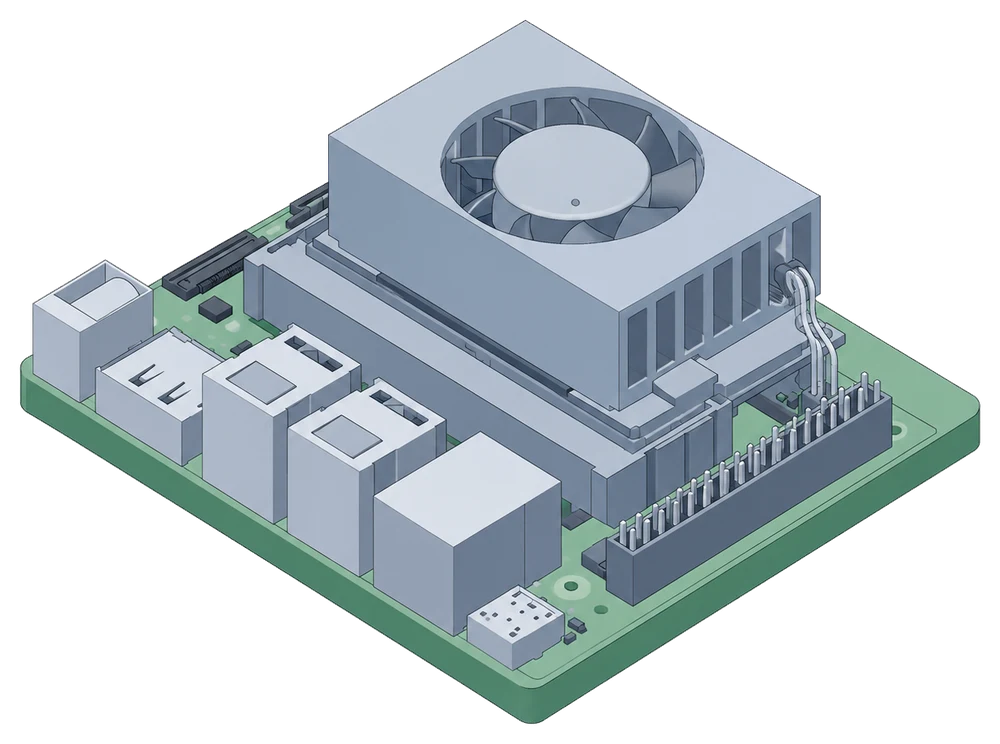
Speech to text and text to speech always run on the appliance, so your raw audio never leaves it. What happens next depends on where you point the LLM.
audio + agent + memory live here
only the LLM call leaves the box
Point the LLM at a cloud provider, and only the text of your turn goes to them, so pick a zero-retention one. Point it at your own box instead, and nothing leaves the building at all, voice or text. That is total privacy with no asterisk, a feature the cloud-first players cannot offer, because the round trip you just deleted is the heart of their business.
The Teaport Engine runs STT and TTS on the board. Your microphone stream is heard and answered locally, never transmitted.
The LLM is just an OpenAI-compatible URL. Point it at a frontier API for the smartest model, or at your own rig so audio and text both stay home. One env var swaps it.
The plugin-to-brain link is authenticated, not open to the network. That will not stop a prompt-injected agent misusing the shell, files, and web access it already has, so for real containment run it under a NemoClaw sandbox.
Sub-second, full-duplex voice with true barge-in: talk over it mid-sentence and it stops. It remembers only the words it actually spoke, not the full line it planned to say, so it cannot misquote itself later.
An always-listening voice loop taxes the memory bandwidth that powers your LLM decode. Move it to the edge board and hand that bandwidth and RAM back to the model.
One command installs the engine, models, and services against a signed manifest. The appliance boots to a working state and recovers on its own after a power cut.
How you can call it, whose personality it uses, what languages it understands, and where else it joins you.
Point it at your PBX or trunk and it registers as its own softphone extension, so a desk phone or any existing call flow reaches your agent the same way it reaches a colleague, no Discord account required.
Your OpenClaw or NemoClaw agent already has a personality, set by you in these files. The Teaport brain reads them fresh every session rather than caching them, so edit a line and the change is live the next time you talk to it.
The Teaport Engine hears with a streaming speech model. It transcribes these thirteen languages right on the board and follows you when you switch between them, with no language picker, and stays under half a second behind you.
An opt-in bridge. Give it your server and the person to follow, and the bot joins your voice channel the moment you do, then leaves when you do. It is your bot in your server, answered by the brain running on your own Jetson, not a public bot anyone can add or listen through.
Five easy steps to set up your own Teaport. Install it on a bare board today. Bring your own enclosure, or run it open on a shelf like the rest of the homelab.
A Jetson Orin Nano (8 GB) you own, about $400 at today’s price, flashed with a matching JetPack (L4T r38 / CUDA 13).
An OpenClaw or NemoClaw agent on the board. The installer adds Teaport to it as a plugin. No agent yet? It points you to NemoClaw’s one-line install, then re-run.
A phone, laptop, or any browser on the same network. Pair it once from the OpenClaw dashboard and start a Talk session; that device’s mic and speaker are what you use, nothing plugs into the Jetson itself.
A home network, and about an hour for setup and model downloads.
Any OpenAI-compatible endpoint works, a frontier API key or your own box (llama.cpp, vLLM, Ollama, LM Studio, NIM) on the LAN.
Leave your email and the command is yours to copy. We'll send it again the day the installer goes live.
# the one-line install, landing with the docs
$ bash <(curl -fsSL https://get.teaspoon.tech/teaport) We’ll email the address above the day the installer goes live. Free for personal use; organizations need a written license.
License
Personal use by individuals is free under the Teaport Engine License 1.0, which covers the engine. The brain, built on Pipecat, ships under plain MIT. Organizations and commercial use of the engine need a separate written license. Reach out at stefano@teaspoon.tech.